1
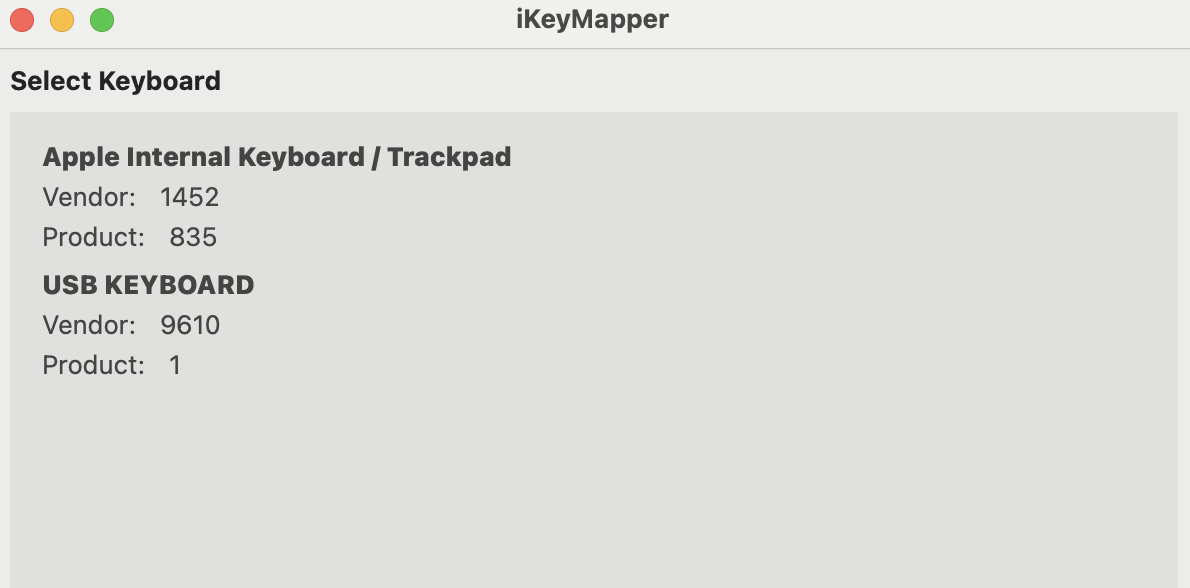
Select your keyboard
Choose which physical keyboard to customize from the list of connected devices. iKeyMapper detects all keyboards attached to your Mac.
Create custom key mappings on your Mac. Select your keyboard, define behaviors, and export profiles—all processing stays on your device.
Download FreemacOS 14.0 or later · Free download
Choose which physical keyboard to customize from the list of connected devices. iKeyMapper detects all keyboards attached to your Mac.
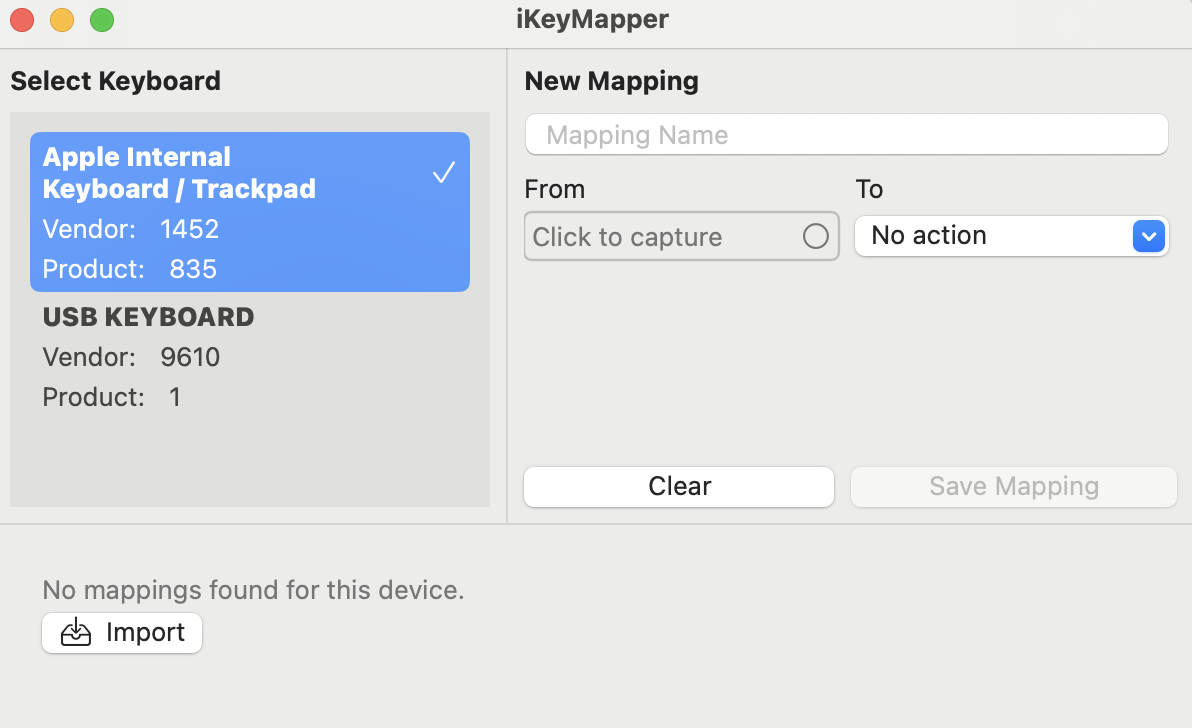
Use the New Mapping panel to define what key or combination triggers which action. Name your mapping and set the From and To behaviors.
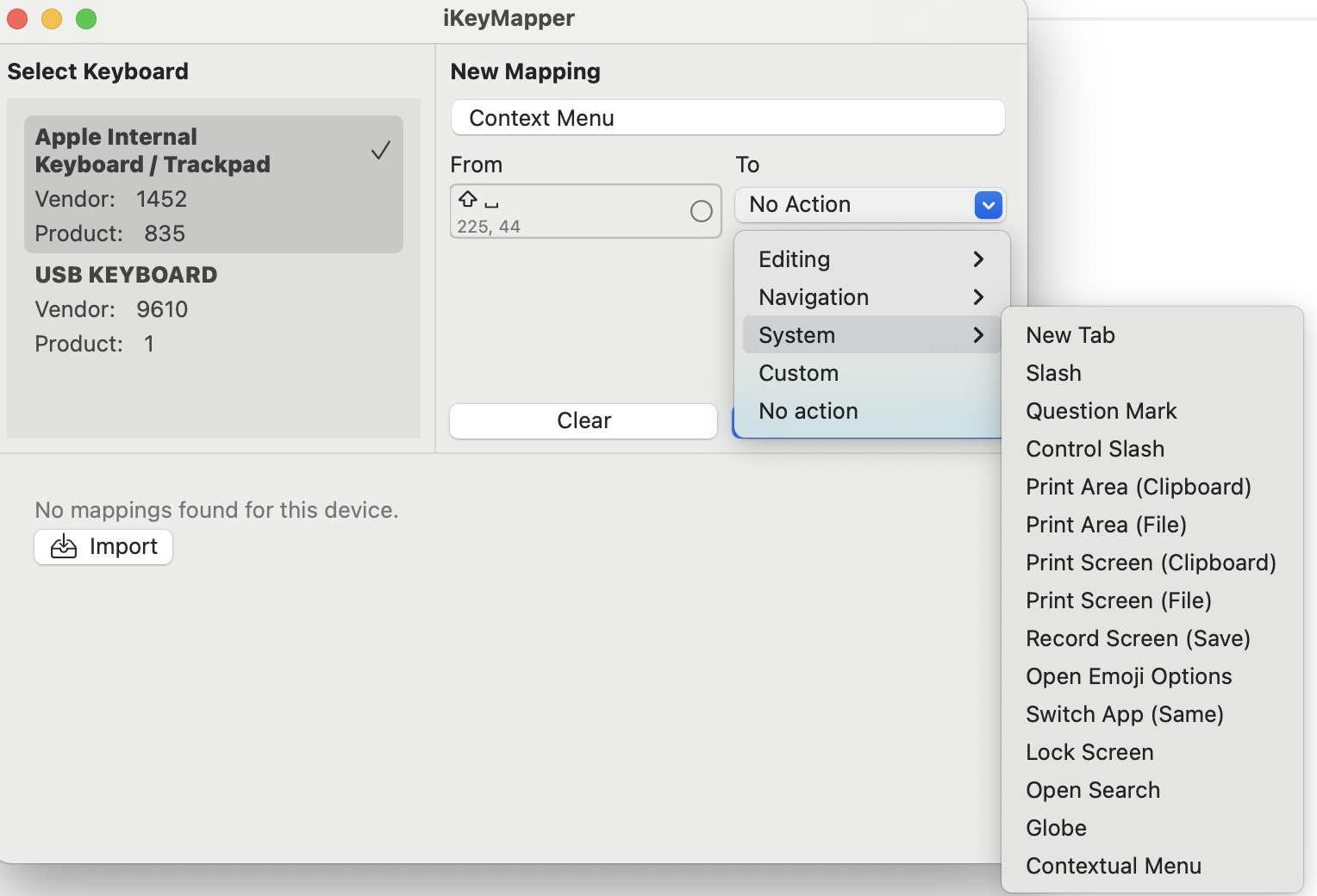
Click to capture the input key, then pick the output from Editing, Navigation, System, or Custom actions. Supports key combinations and system shortcuts.
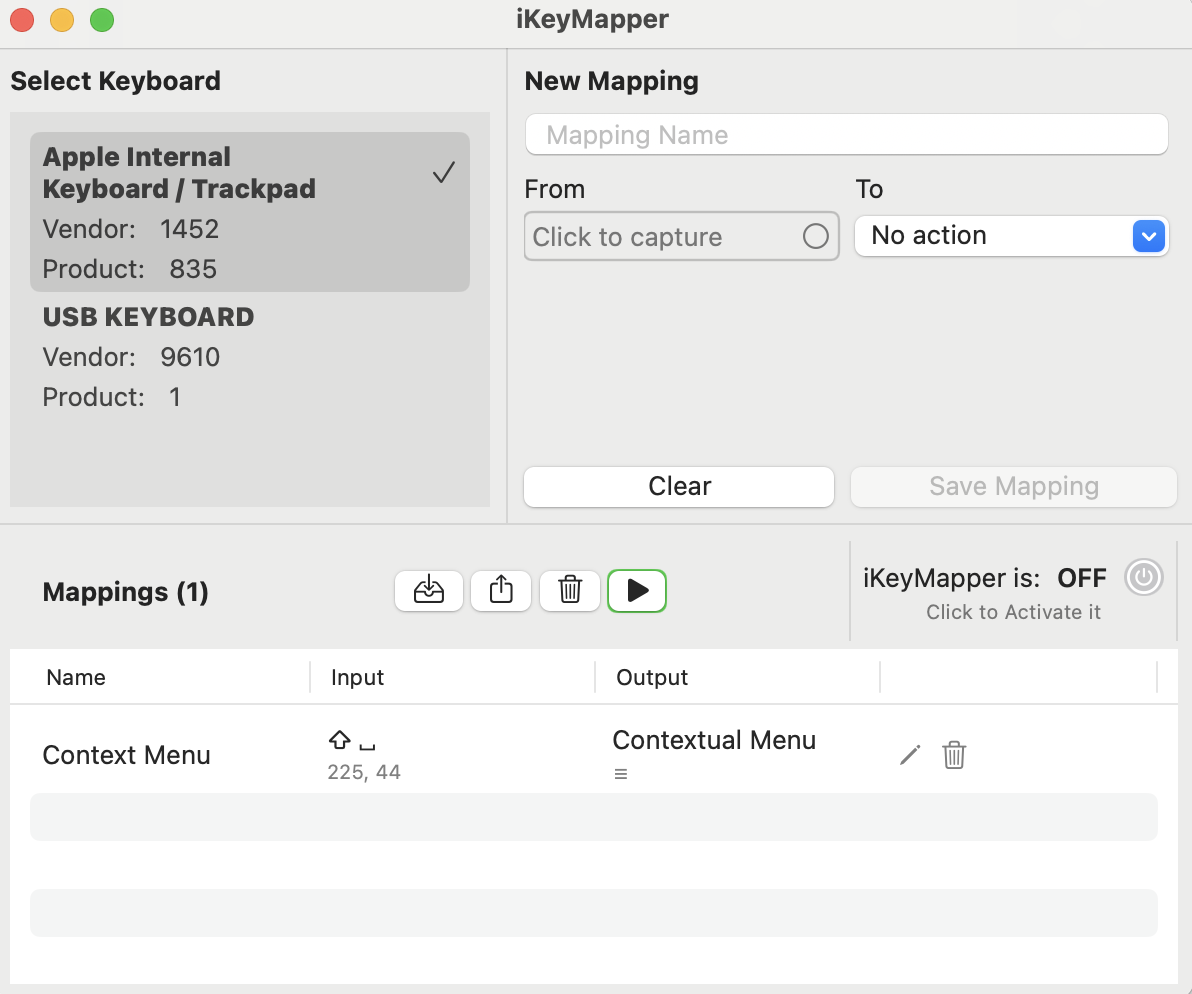
View, edit, and delete mappings in the list. Export profiles for backup or sharing. Import profiles to restore or use on another Mac.
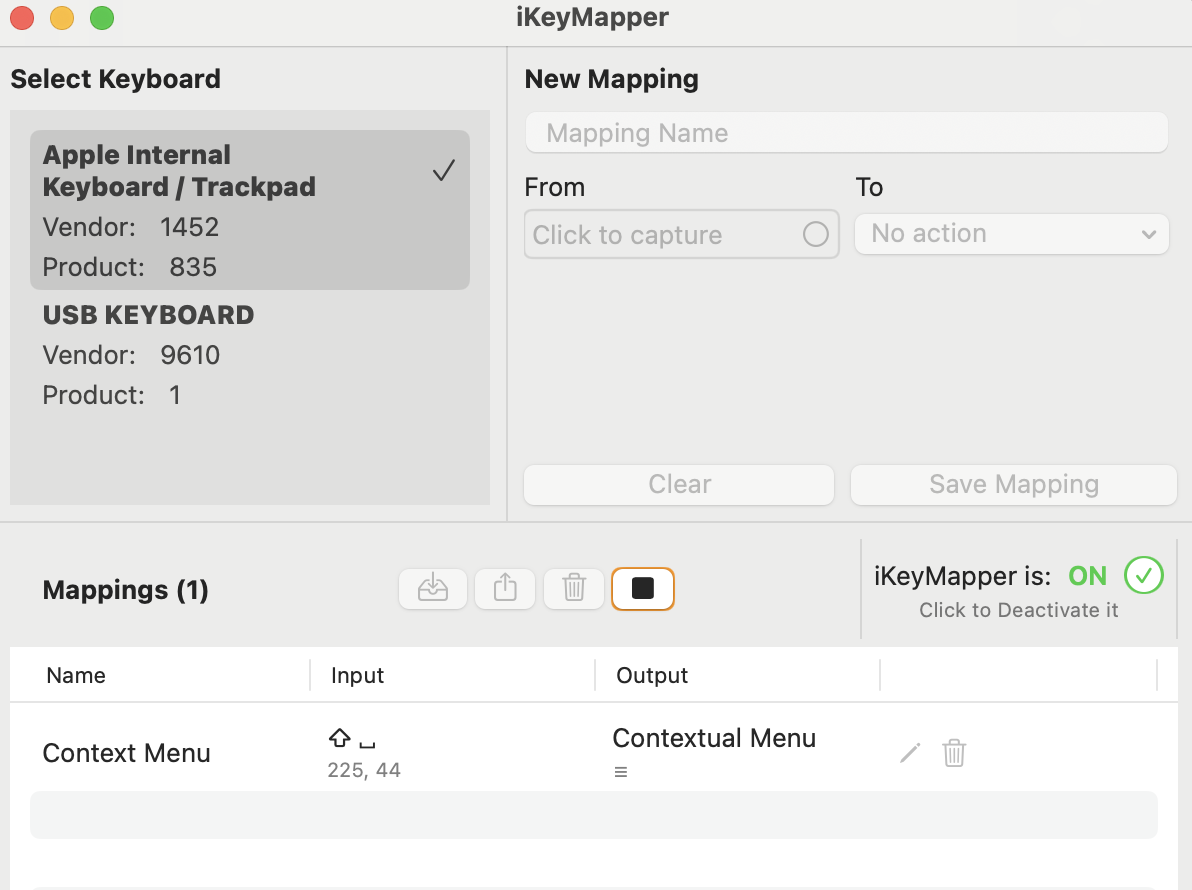
Turn iKeyMapper On when you're ready. Mappings apply only to the selected keyboard. Turn it Off anytime to revert to default behavior.
Map keys only on the keyboard you choose. Other keyboards work as usual.
Save profiles locally and share them across devices.
All processing happens on your Mac. No keystroke data is stored or sent anywhere.
Enable mappings when you need them. Disable with one click to restore defaults.
Free to download. Trial and purchase available inside the app. Requires macOS 14.0 or later.
Download FreeOpen the app to start a free trial or buy a lifetime license.
A ready-made set of PC-style shortcuts for Mac — copy, paste, cut, undo, redo, select all, find, save and more. Download it, then use Import inside the app.
↓ Download example mappings (.json)Standard keys carry over to any keyboard; re-record any special keys that don't match.